Financial Projects · Program
Basis
A portfolio dashboard that runs on your own computer.
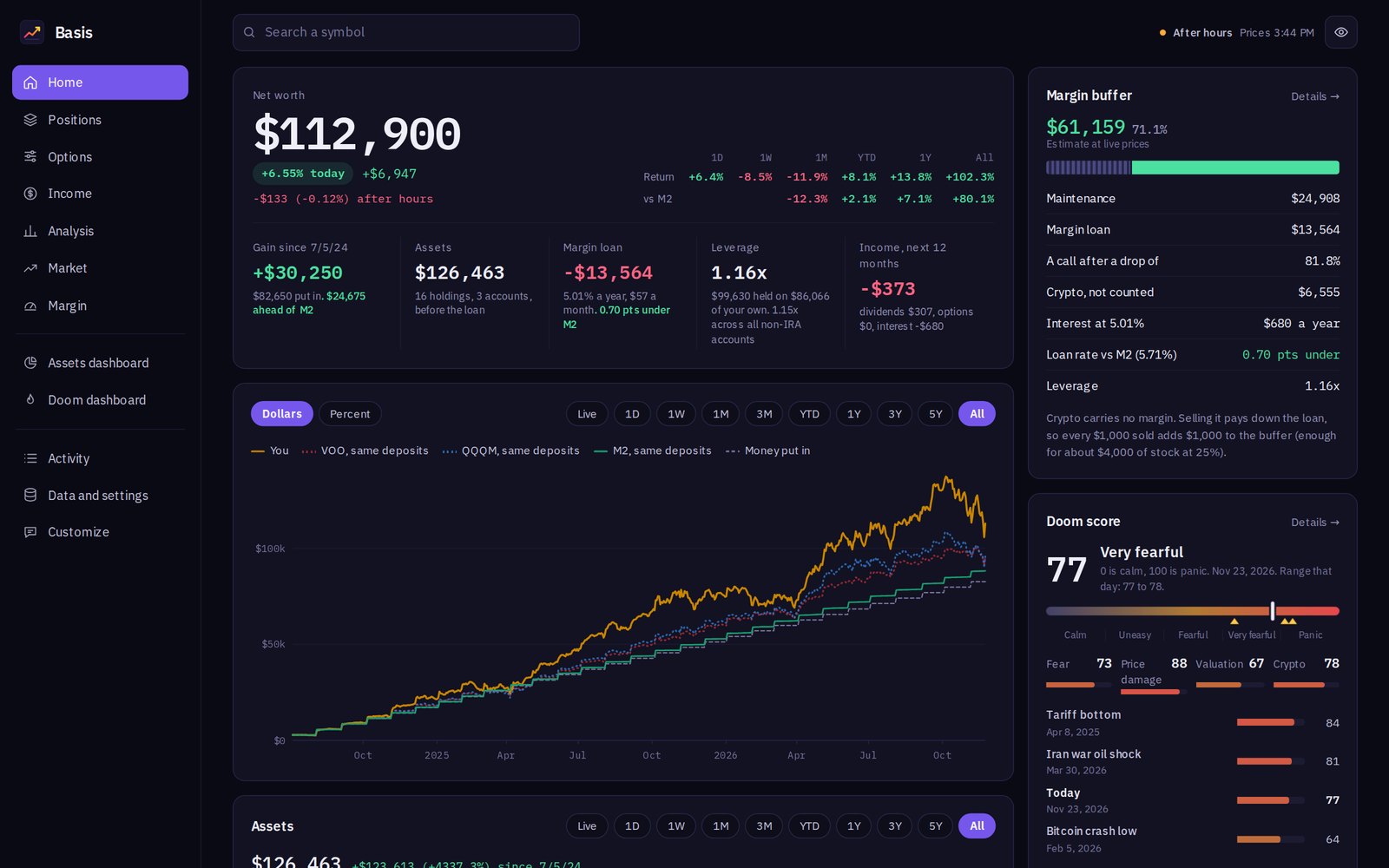
Basis is a program that is run by and built around my financial and investment philosophies. It reads your brokerage accounts with read-only access and measures them the way I measure mine.
What it measures
Everything against M2
Every return is shown beside the growth of the M2 money supply. A holding that grows slower than new dollars are made is falling behind. A loan that costs less than M2 grows is cheap money.
A Doom score
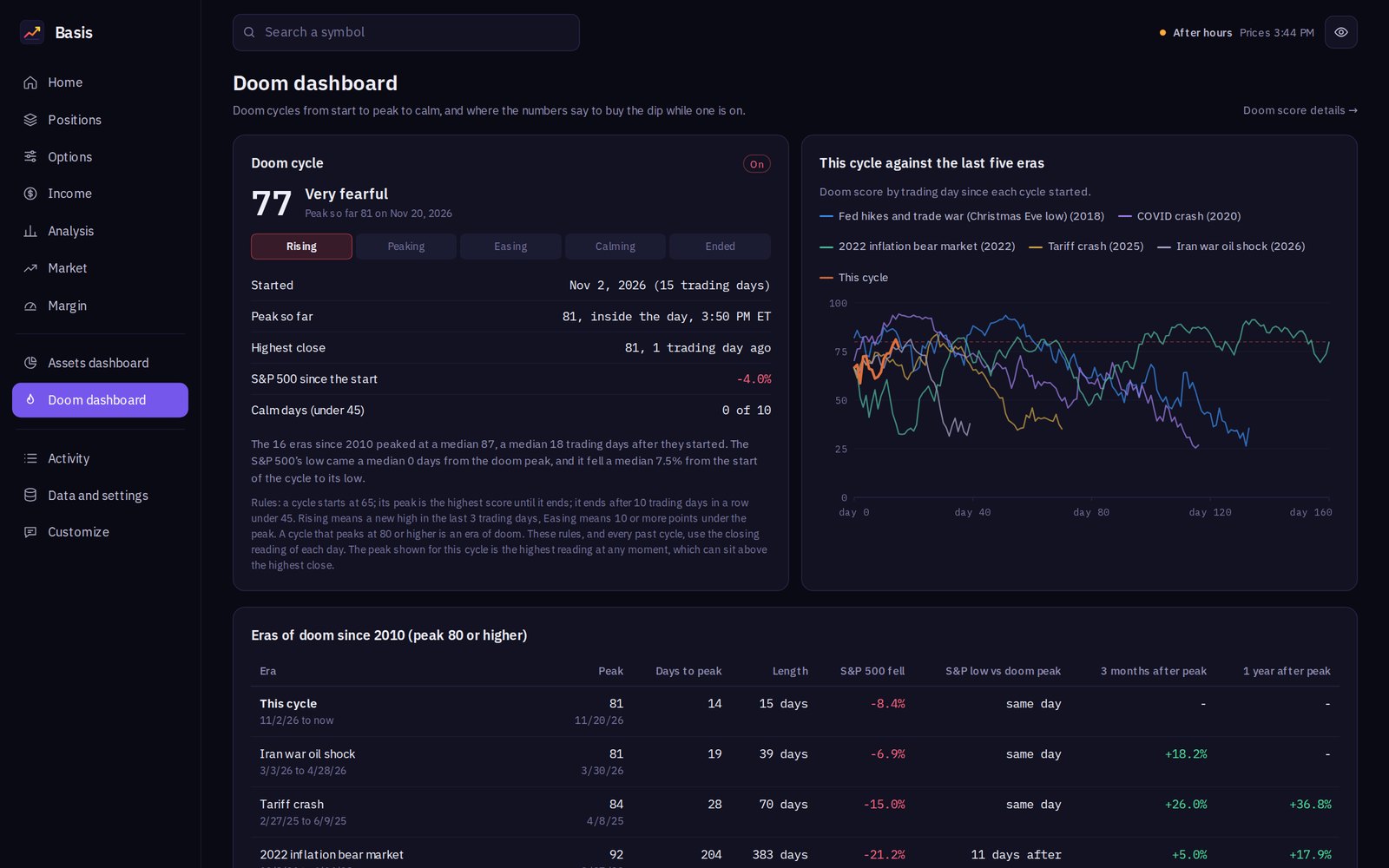
One number from 0 to 100 for how afraid the market is, scored the same way for every trading day since 2010. It tracks doom cycles from start to peak to calm and ranks your stocks for dip buys while one is on.
What you own, not only what it is worth
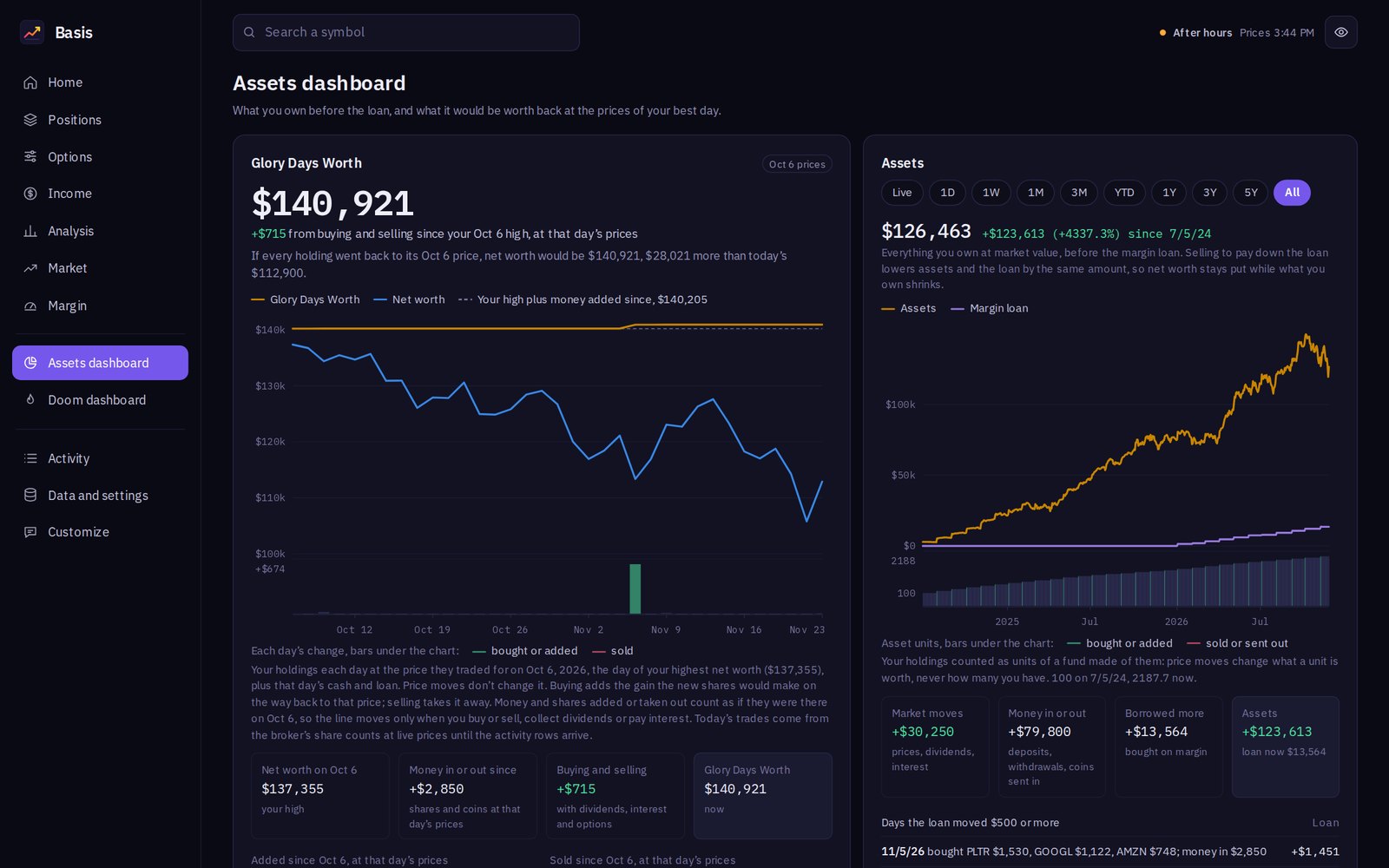
Asset units move only when you buy or sell. Glory Days Worth shows what today's holdings would be worth at the prices of your all-time-high day.
Leverage and margin
A leverage multiple that leaves retirement accounts out, a margin buffer estimate at live prices, and the drop that would trigger a call.
Bitcoin on its own
Bitcoin, Bitcoin treasury companies and Bitcoin funds are grouped apart from Technology, and other crypto apart from Bitcoin. Treasury companies are found automatically.
The rest of the picture
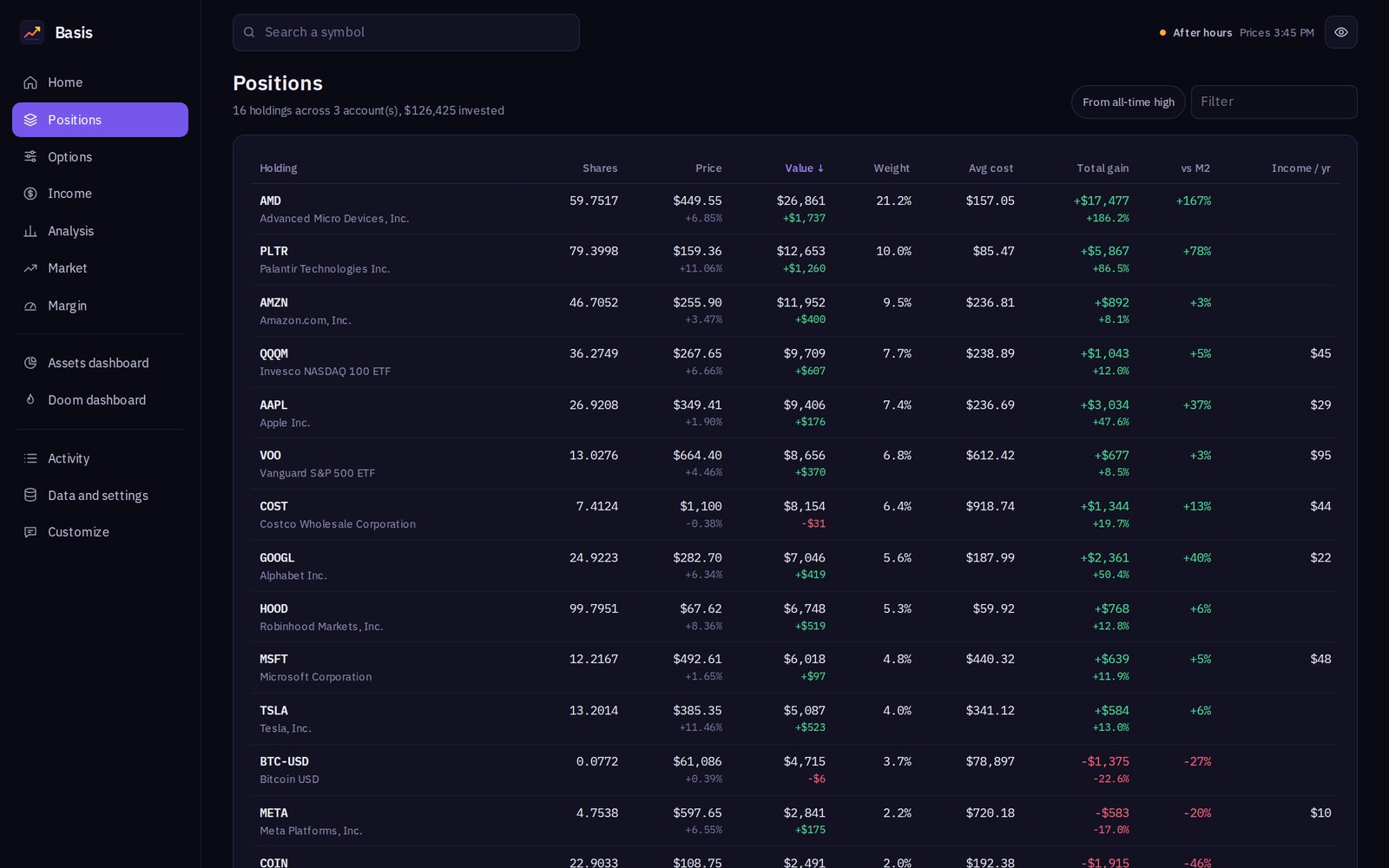
Positions with FIFO cost basis, dividends received and projected, a weekly options menu by your own rules, Sharpe and drawdown with letter grades, index valuation, and a button that hides every dollar amount.
See it
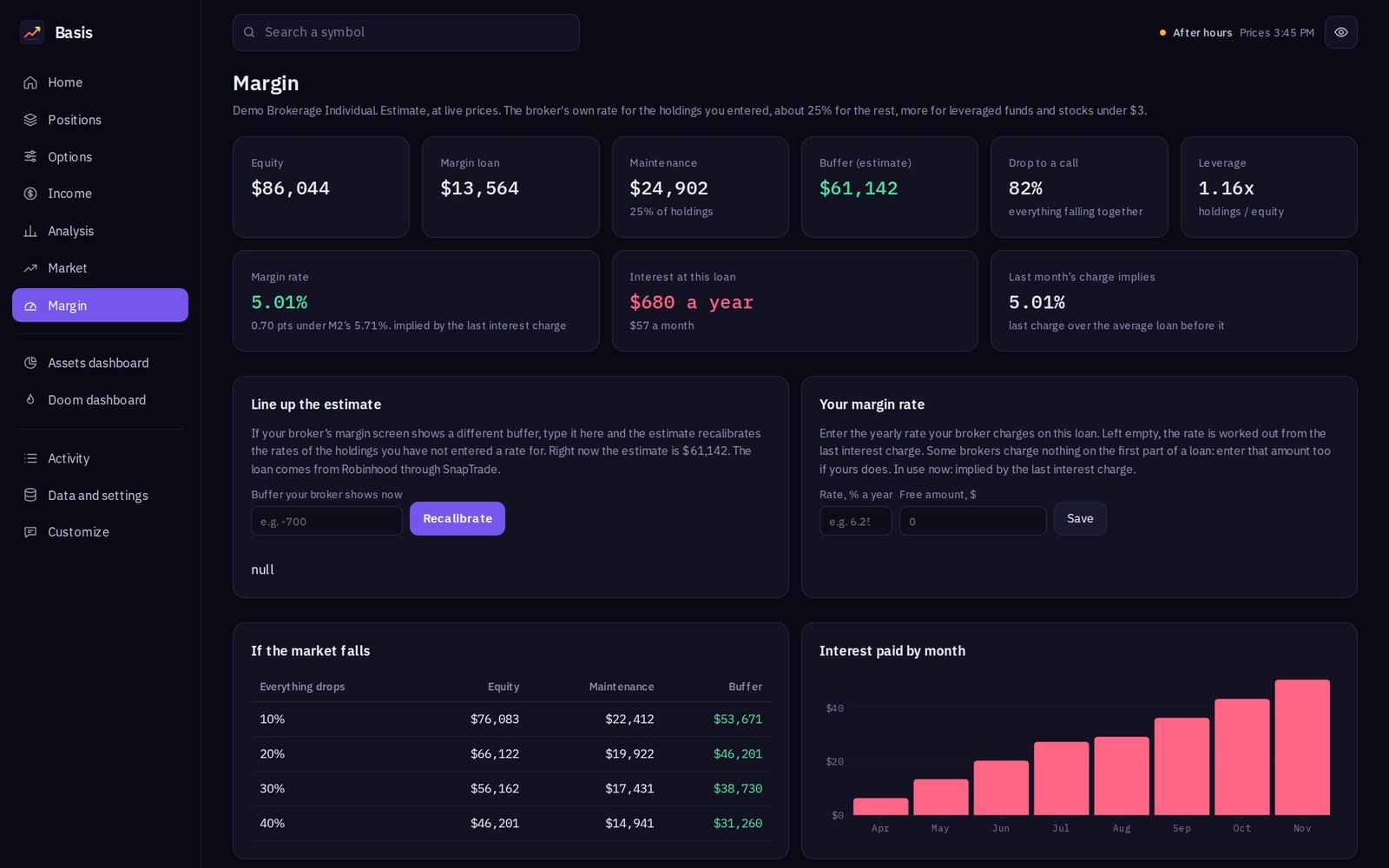
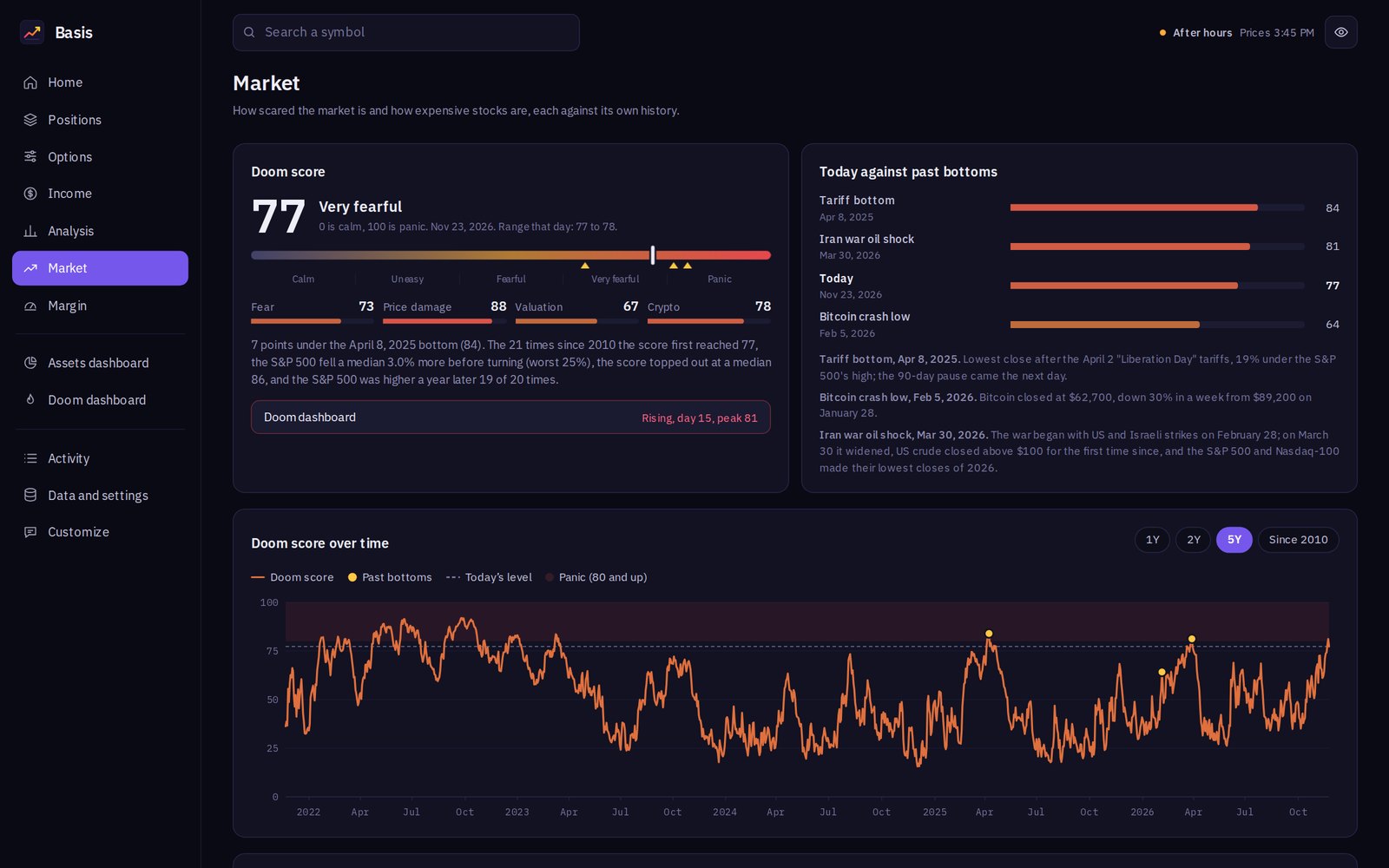
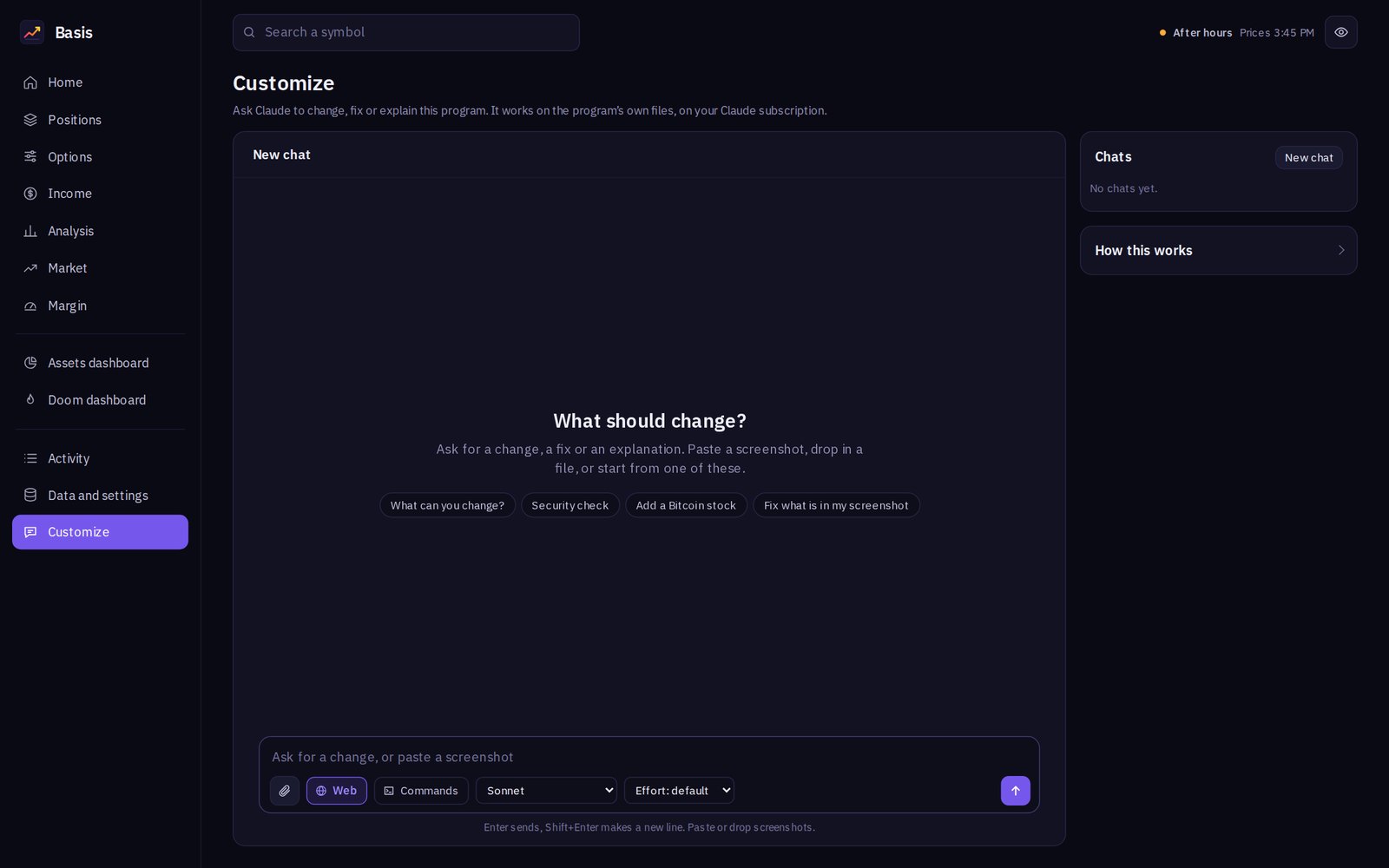
Install
- Download and run Basis-Setup.exe. It installs for your Windows user only and needs no administrator rights. Python is bundled.
- Get a SnapTrade key. SnapTrade links to brokerages. Its Personal plan is free and covers up to 20 connections. Basis opens the right pages and asks for read-only access.
- Link a brokerage. You sign in on your broker's own page. Basis cannot trade or move money.
- Optional: connect Claude. With Claude Code installed, the Customize page can change the program for you.
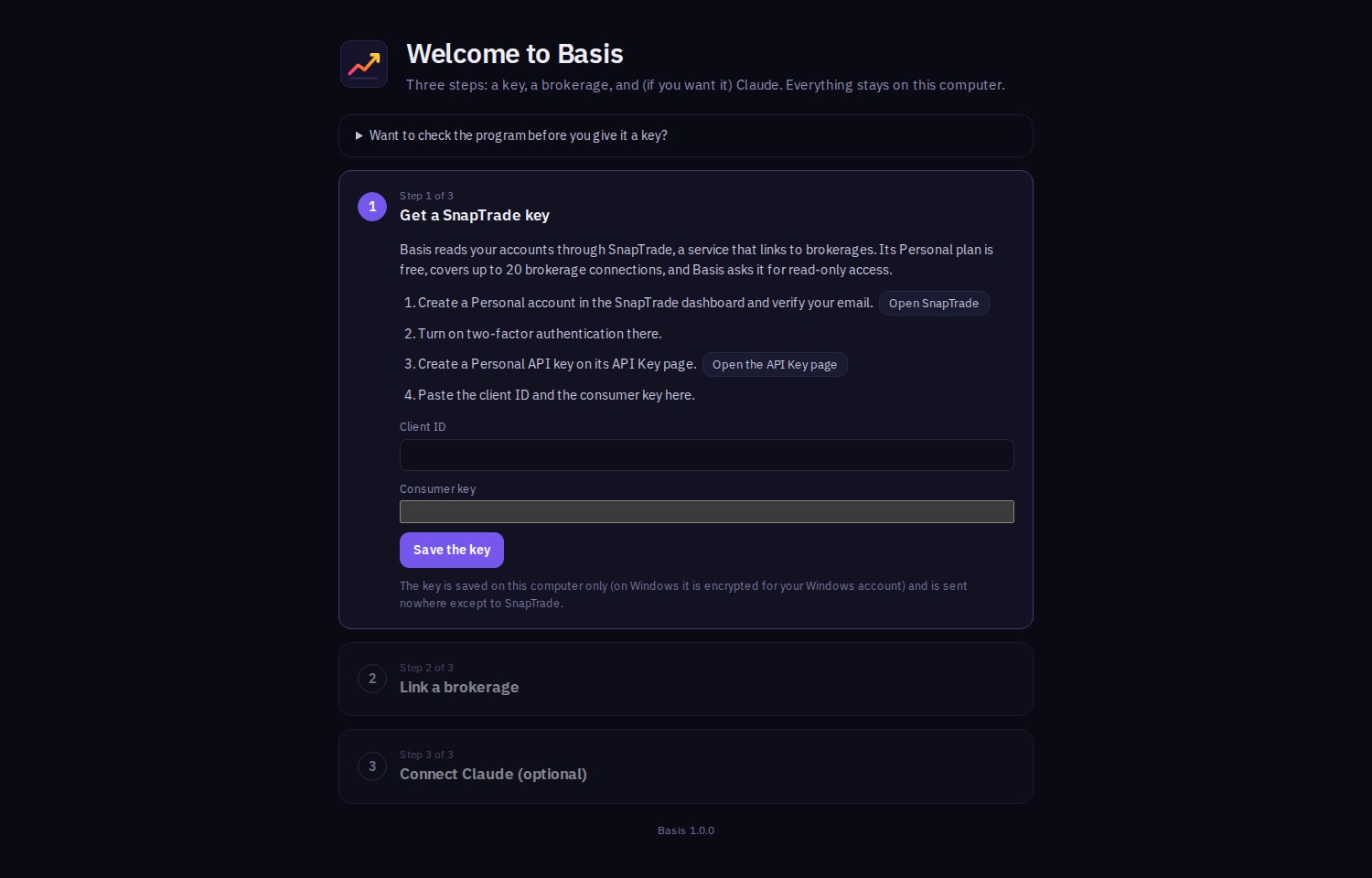
The installer is not code-signed, so Windows will say it does not recognize the publisher. Choose "More info", then "Run anyway". You can check the download against the published checksums first.
Your data
It stays on your computer
There is no account, no server of mine, and no telemetry. The program listens on your own computer only, so nothing else on your network can reach it.
The key is encrypted
Your SnapTrade key is stored encrypted for your Windows account and is sent only to SnapTrade.
What it contacts
SnapTrade for your accounts, public market-data sites for prices and readings, and GitHub twice a day to look for a new version. You can turn the update check off.
Check it yourself
Basis is plain source code on your computer, before and after you install it. Open the program folder in Claude Code or another coding agent and ask:
Read every file in this folder. It is a portfolio dashboard that I am about to give a read-only brokerage key. Report anything that sends data anywhere other than SnapTrade and the public market-data sites it names, anything that writes a key or account number to a log or a page, any request handler that skips the host and origin checks, and anything that runs or downloads code. Give file and line for each finding. Change nothing.
The same prompt is on the program's welcome page.
Make it yours
Customize with Claude
The Customize page is a chat with Claude Code running on your computer, on your own Claude subscription. Ask it to add a metric, fix a bug or change a color, and it edits the program. Every change shows its diff and can be undone, and a change that breaks the program is undone automatically. You can paste screenshots into the chat.
Updates
When I release a new version, an Update button appears in the program. The update keeps a copy of the version you have and puts it back if the new one does not start. Files you changed yourself are saved aside first.
Honest limits
- Not financial advice. Basis shows your own records and public market data, read one person's way.
- The margin numbers are estimates. Your broker's own figures are the ones that count.
- Market data comes from public pages that can change or stop working. None of it is an official data feed.
- Transactions arrive a day late. SnapTrade refreshes them daily. Balances and positions are live.
- SnapTrade's terms. SnapTrade describes a Personal key as for software you operate for yourself and points products with other users to its commercial plan. In Basis each person creates their own key and keeps it on their own computer. Read SnapTrade's guide before you paste a key.
- Windows only for now. It runs from source on other systems.
- Tested with a sample portfolio on Windows and Linux and against real accounts at two large US brokers. Other brokers go through the same SnapTrade calls but are untested.